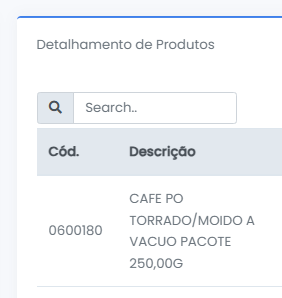
I'd like to know how to code the search input to work for both uppercase and lowercase letters?
It doesn't work when I type in lowercase, and I find that very annoying.
<?php

namespace App\Dashboard\Produtos;

use \koolreport\dashboard\widgets\Table;
use Database\AutoMaker;
use \koolreport\dashboard\fields\Text;
use koolreport\dashboard\admin\screens\ListScreen;
use \koolreport\dashboard\fields\Currency;
use koolreport\dashboard\admin\relations\HasMany;
use koolreport\dashboard\admin\Resource;
use koolreport\dashboard\fields\ID;
use koolreport\dashboard\inputs\Select;
use koolreport\dashboard\validators\NumericValidator;
use koolreport\dashboard\validators\RequiredFieldValidator;

class ProductTable extends Table
{
    protected function onInit()
    {
        $this->pageSize(5);
        $this->searchable(true);
        $this->showSearchBox(true);
        $this->searchAlign("left");
    }

    protected function dataSource()
    {
        $selecionada = $this->sibling("ProductByLine")->selectedAssociada();
        $compradores = $this->sibling("CompradoresSelect")->value();
        $periodoRange = $this->sibling("PeriodoRanger")->value();

        if ($selecionada === null) {
            return [];
        }

        if (!empty($search)) {
            $query->where(function($q) use ($search) {
                $q->whereRaw("LOWER(prod.codigo) LIKE LOWER(?)", ["%{$search}%"])
                ->orWhereRaw("LOWER(prod.descricao) LIKE LOWER(?)", ["%{$search}%"])
                ->orWhereRaw("LOWER(prod.complemento_descricao) LIKE LOWER(?)", ["%{$search}%"]);
            });
        }

        return AutoMaker::table("tb_pedidos ped")
            ->join("tb_rel_itens_pedidos rip", "rip.fk_pedido", "=", "ped.id_pedido")
            ->join("tb_produtos prod", "prod.id_produto", "=", "rip.fk_produto")
            ->leftJoin("tb_clientes_associados clia", "clia.id_cliente_associado", "=", "ped.fk_cliente_associado")
            ->where("ped.fk_cliente", $this->app()->user()->others()['id_cliente'])
            ->whereIn("ped.status", ['C', 'P'])
            ->where("ped.tipo", 'N')
            ->whereRaw("rip.desaprovado IS FALSE")
            ->whereBetween('ped.data_resposta', $periodoRange)
            ->when($compradores, function($query) use ($compradores) {
                return $query->whereIn('ped.fk_usuario_cliente', $compradores);
            })
            ->whereRaw("COALESCE(clia.nome_abreviado, 'Matriz') = ?", [$selecionada])
            ->groupBy("prod.id_produto", "prod.descricao", "prod.codigo", "prod.complemento_descricao")
            ->orderBy("total", "desc")
            ->select("prod.descricao", "prod.codigo", "prod.complemento_descricao")
            ->selectRaw("SUM((rip.dados_cotacao->>'preco')::decimal(12,5) * rip.quantidade) AS total");
    }

    protected function fields()
    {
        return [
            Text::create("codigo")
                ->label("Cód.")
                ->searchable(true),

            Text::create("descricao")
                ->label("Descrição")
                ->searchable(true),

            Text::create("complemento_descricao")
                ->label("Complemento")
                ->searchable(true),

            Currency::create("total")
                ->label("Total R$")
                ->BRL()
                ->symbol()
        ];
    }
}